

Project, task and ticket management for electronic security.
All in one place: the job at the condominium, the building manager's ticket at 10 p.m., the month's preventive visit and the work order signed by the client — from installation to the contract that renews. The technician opens the phone and sees what is on for today; you see whether the contract is being met.
The day-to-day you recognize
It isn't a lack of technical skill: it is that the operation's information lives in five places, and none of them is the system.
The job ends and WhatsApp begins
After installation, the building manager calls the technician directly. The ticket exists nowhere, and at year end nobody knows how many times the crew went there for free.
Three condominiums on the same day
Each at a different stage, each technician with their list on paper. The question "has Villa Sol passed commissioning yet?" costs half an hour on the phone.
The sign-off that never arrives
The camera was installed, the client says one was missing. Without a photo and a signature from delivery day, it is one person's word against another's — and billing waits.
The preventive visit nobody remembers
The contract provides for a monthly visit. It happens when it can, and you find out it didn't happen at the moment the client asks for a renewal discount.
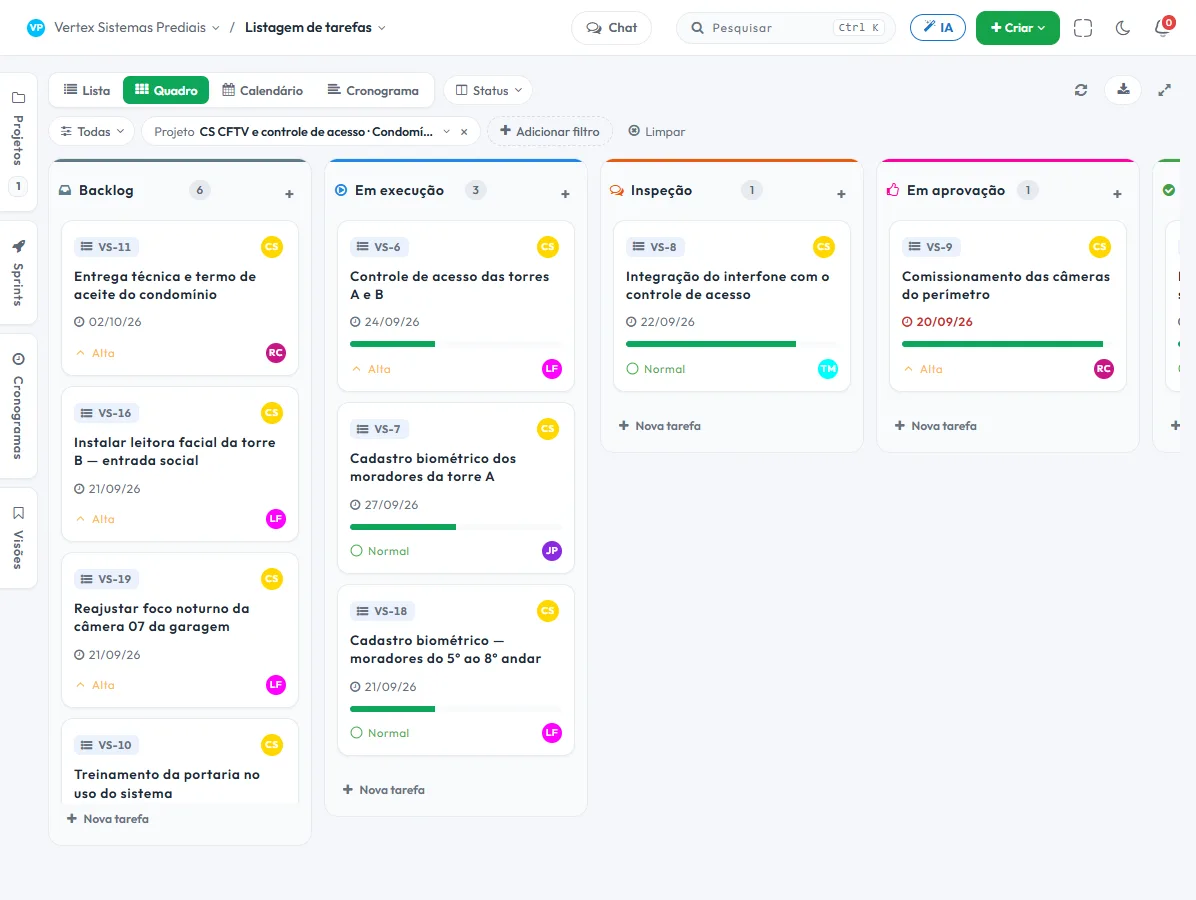
Each condominium becomes a project, with the stages already set up
Nothing to configure from scratch: the Engineering template already comes with Backlog, In progress, Inspection, Pending approval and Completed. You rename them if you like and start with one client.
- 1 One project per client"CCTV and access control · Villa Sol Condominium". Everything that has already been done there stays in the same place, including what happened two years ago.
- 2 A workstream per stageInfrastructure, Installation and Commissioning. The task carries the workstream, and the filter isolates the stage: it becomes visible that the infrastructure is done but commissioning hasn't started.
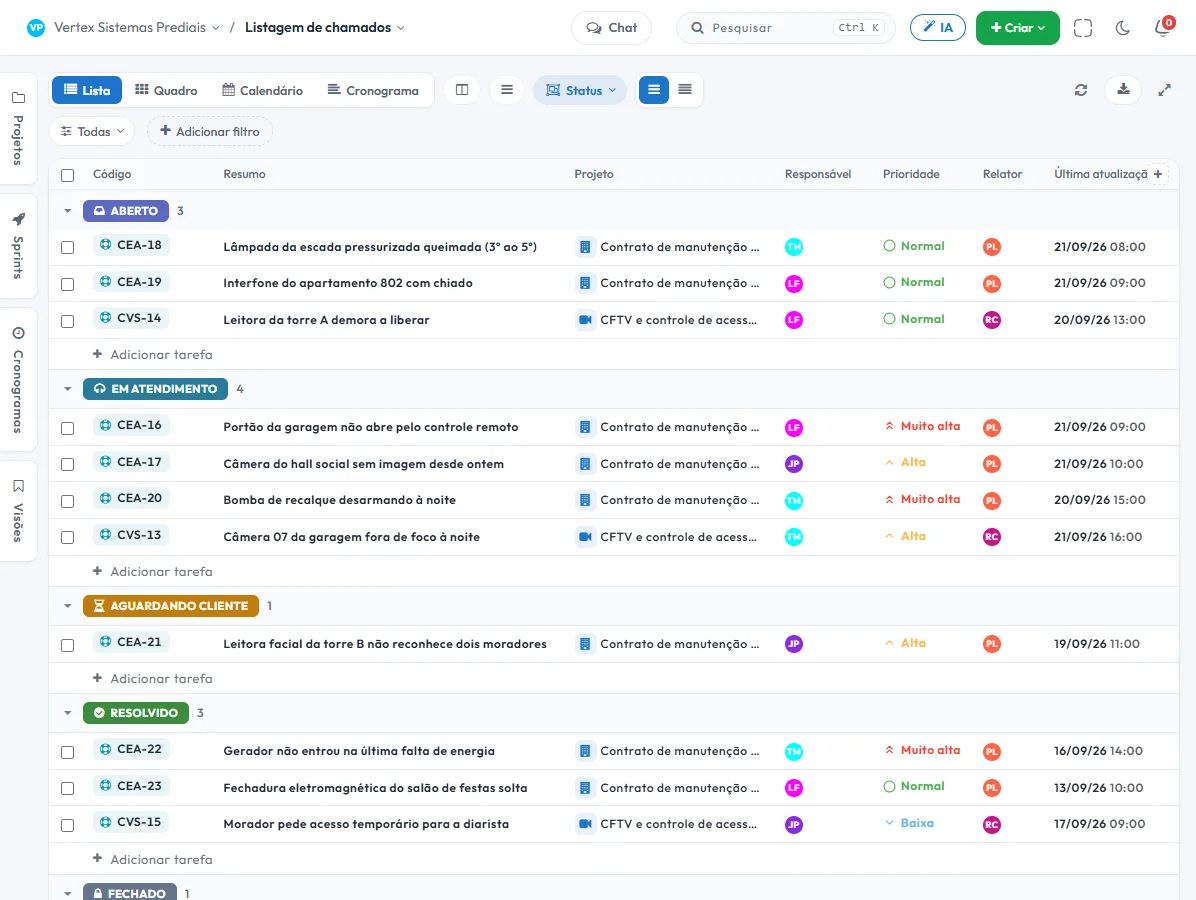
- 3 The ticket is born where the customer talksThe building manager's WhatsApp message to the company becomes a ticket with a deadline, inside the condominium's project — not in a loose inbox.
- 4 Sign-off closes the stageThe task goes to "Pending approval" and only leaves when the owner decides. What was delivered and who approved it is recorded.
What nobody else puts together in a single tool
These are three things that normally live in three different systems — or in none.
Work order signed on the phone, with a photo
The closing form opens in the phone's browser: the technician attaches the photo of the installed equipment and the client signs on screen. It is stored with name, date, time, IP and a hash of the answers — if the content changes later, the hash gives it away.
Approval before billing
A completed stage is not an accepted stage. The "Pending approval" status requires the decision of whoever you choose — one approver or all — and the task only moves on after that.
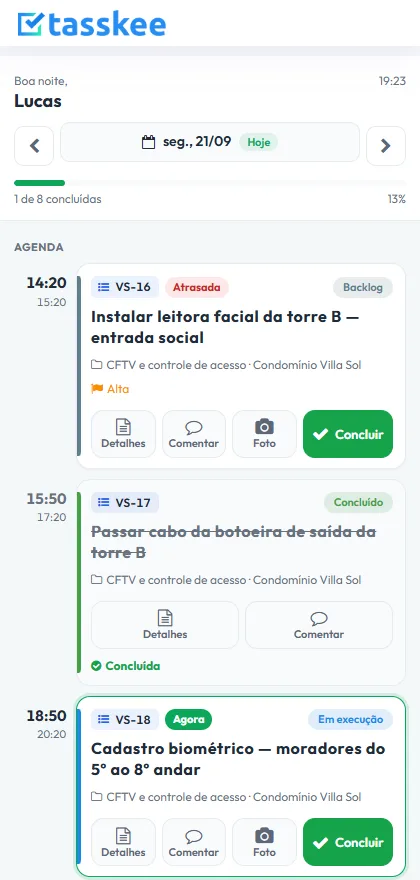
"My day" in the technician's hands
A single screen for the field: what is now, what comes next, what is late. Big buttons to comment, take a photo and complete, without wandering through the whole system.
The features that support this day to day
Task, schedule, ticket, form, and conversation are the same database. What changes in one place shows up in the other, with nothing to export.
Questions from people who install and maintain
Does it work for a company that installs and also maintains?
Does the technician need to install an app?
Does the customer's on-screen signature hold value?
Can the building manager follow along without becoming a system user?
What about job budgeting and measurement?
Start with the contract that gives you the most trouble
Create an account, open a project for a client and bring their tickets over. In one afternoon you know whether it fits.