

Project and task management for marketing agencies.
Many clients, many calendars, one team. Each client becomes a project, each piece goes through creation, review, and approval, and the urgent request that came in on WhatsApp stops being the only thing the team remembers to do.
The day-to-day you recognize
An agency rarely fails at creativity. It fails at the queue: what belongs to which client, what's waiting on a reply, and how much it cost to produce.
Fifteen clients, fifteen ways of asking
One sends a voice note, another sends an email, another chases in the group chat. Without a single place, the week's priority is decided by whoever shouts loudest.
The post calendar lives in a spreadsheet
Each client has their own, nobody knows which version is right, and the post for the 14th only shows up as late on the 14th.
Artwork goes back and forth with no record
"Approved" in one WhatsApp message, "tweak the blue" in another. By the third revision, nobody remembers what the client actually said.
Hours only show up at invoicing time
The contract says retainer, the team spent double, and you find out when the month's margin has already closed.
Each client becomes a project, with the asset workflow ready
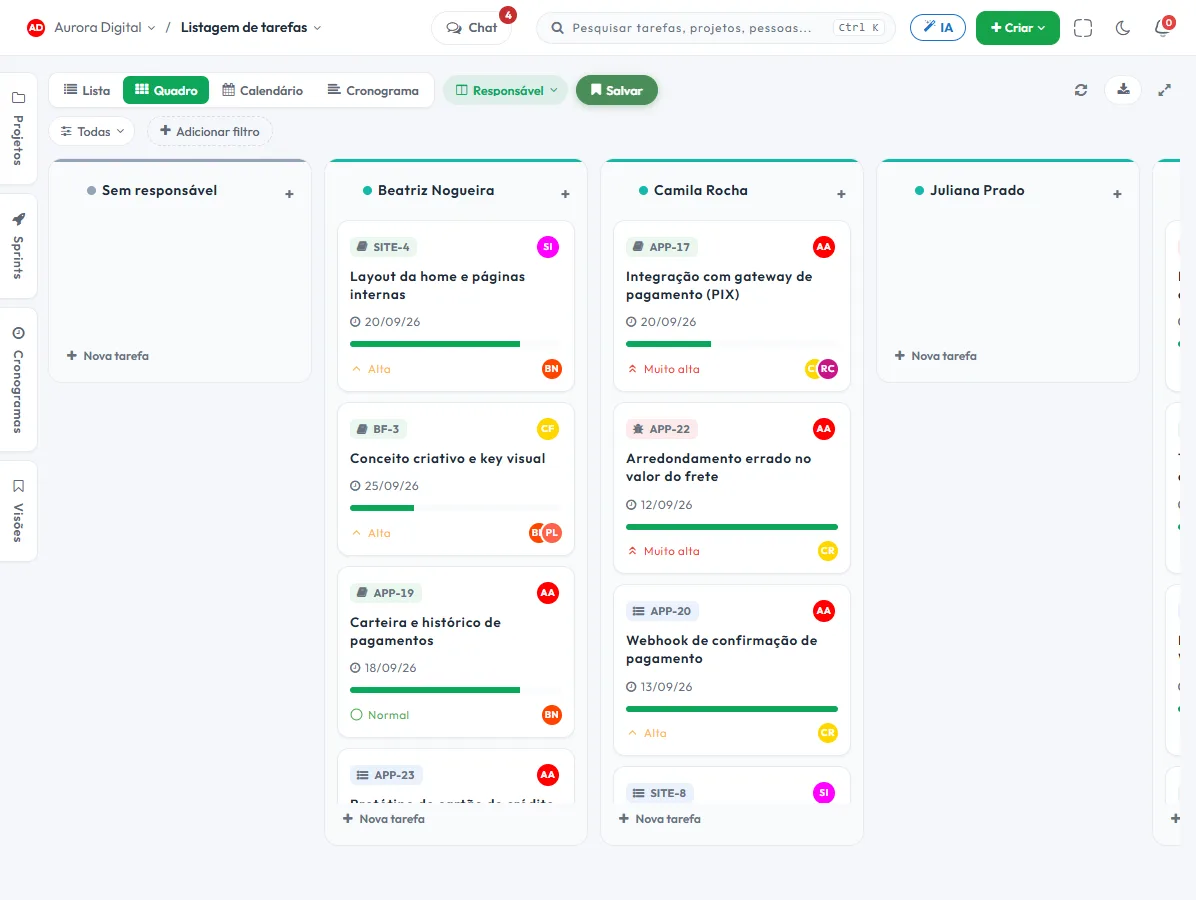
Choose the Creative and design template at signup and the board starts with Briefing, In creation, Review, Approval, and Delivered, with the Brand and Campaigns workstreams. The Marketing template, with Ideas, In production, Approval, and Published, suits those who work more with content.
- 1 One project per client"Clínica Bem Estar · Social media." Briefing, assets, revision history, and conversations stay together, and the next month starts where the last one left off.
- 2 One workstream per type of deliverableCampaigns, Content, Brand. The list groups by workstream and the filter isolates one, so you can see what's routine and what's a special project.
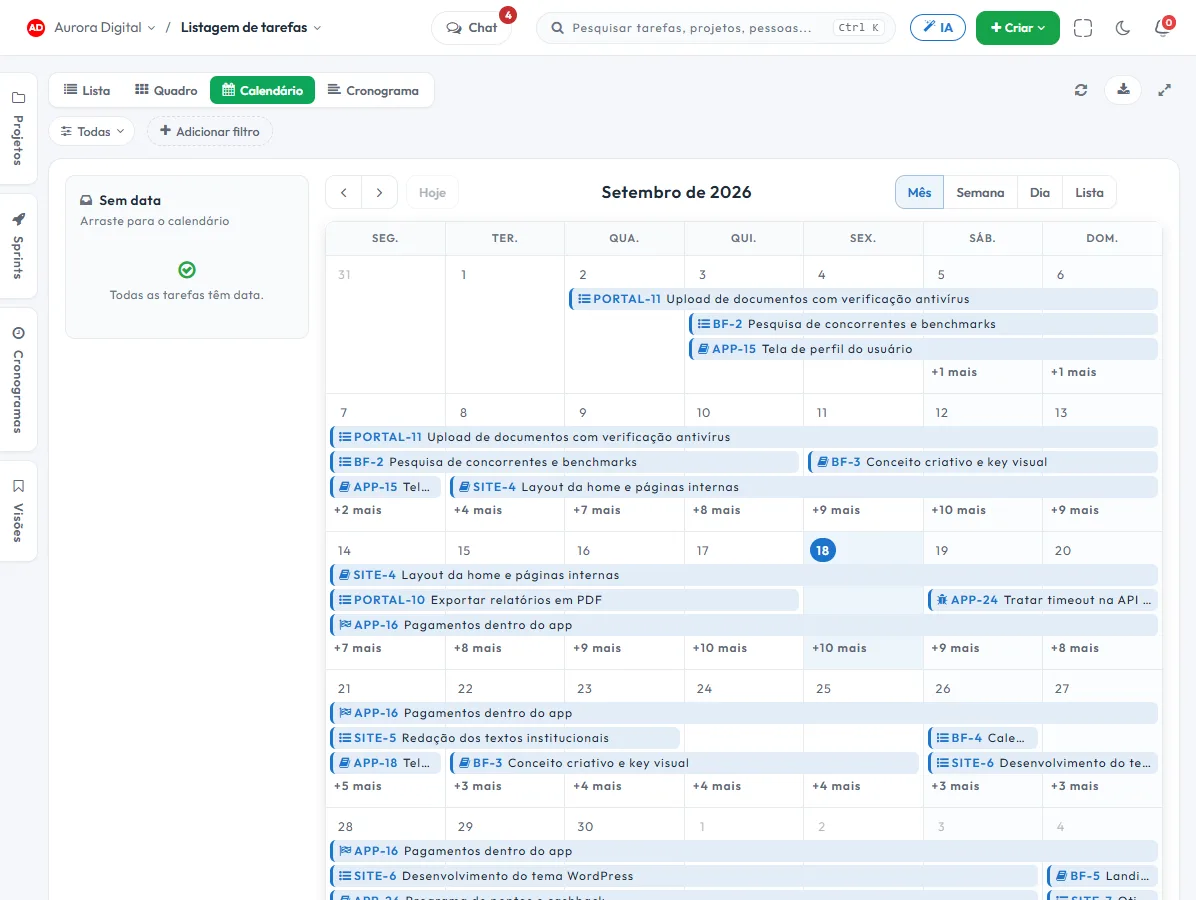
- 3 The calendar shows what publishes whenThe same task shows on the board and the calendar, with the publish date. Change the date in one place and it changes in both.
- 4 Approval is on the recordThe piece goes into Approval and only moves forward when the assignee decides. Who approved and when stays in the task history, not in a conversation that scrolled away.
What usually ends up scattered across three tools
An agency needs production, approval, and cost in the same place. Here are three features that work together.
The client approves in the portal, without becoming a user
The guest portal shows what you release from that project, with comments and approval. The client follows the assets without taking up a seat on the plan.
A WhatsApp request becomes a task with a deadline
With Customer Service, the client's conversation becomes a ticket or task inside their project. The urgent request gets an owner and a date, instead of living in the memory of whoever saw it first.
Hours per client, with an hourly rate
The team logs time on the task, you set the hourly rate per project and generate the close-out as a PDF or CSV. You can compare what the retainer pays with what it consumes.
The features that support this day to day
Task, schedule, ticket, form, and conversation are the same database. What changes in one place shows up in the other, with nothing to export.
Questions from people running an agency
Can I keep each client's work separate?
Can the client approve artwork without a login?
Does Tasskee schedule or publish social media posts?
How do I track hours for each client?
Does it work for freelancers and small studios?
Start with the client who asks for the most
Create an account, open a project for them, and bring in the month's assets. In one afternoon you'll know whether your agency's routine fits here.