

Project, sprint and ticket management for software houses.
Each client is a project with a backlog and a sprint, the production bug comes in as a ticket with a due date, and the hours logged become the month-end statement. The specification sits next to the code, maintained by the AI agent your team already uses.
The day-to-day you recognize
A software house rarely loses for lack of code. It loses at the border between what was agreed, what was done and what was billed.
Five clients, five tools
One client insists on their own Jira, another sends tasks by email, another through a WhatsApp group. To know the team's real workload, someone opens everything and adds it up by hand.
The production bug runs over the sprint
The ticket arrives mid-cycle, goes straight to the developer and nobody records it. The sprint blows up and the client never sees the cost of that.
Hours worked that never become an invoice
Time logging is left for Friday, rebuilt from memory, and hours get lost. At month-end the client's numbers and the team's don't match.
The spec gets stale before the code does
The document written at the start of the project doesn't keep up with the changes. Whoever joins midway reads a text that no longer describes the system.
Each client becomes a project, with sprint and backlog ready to go
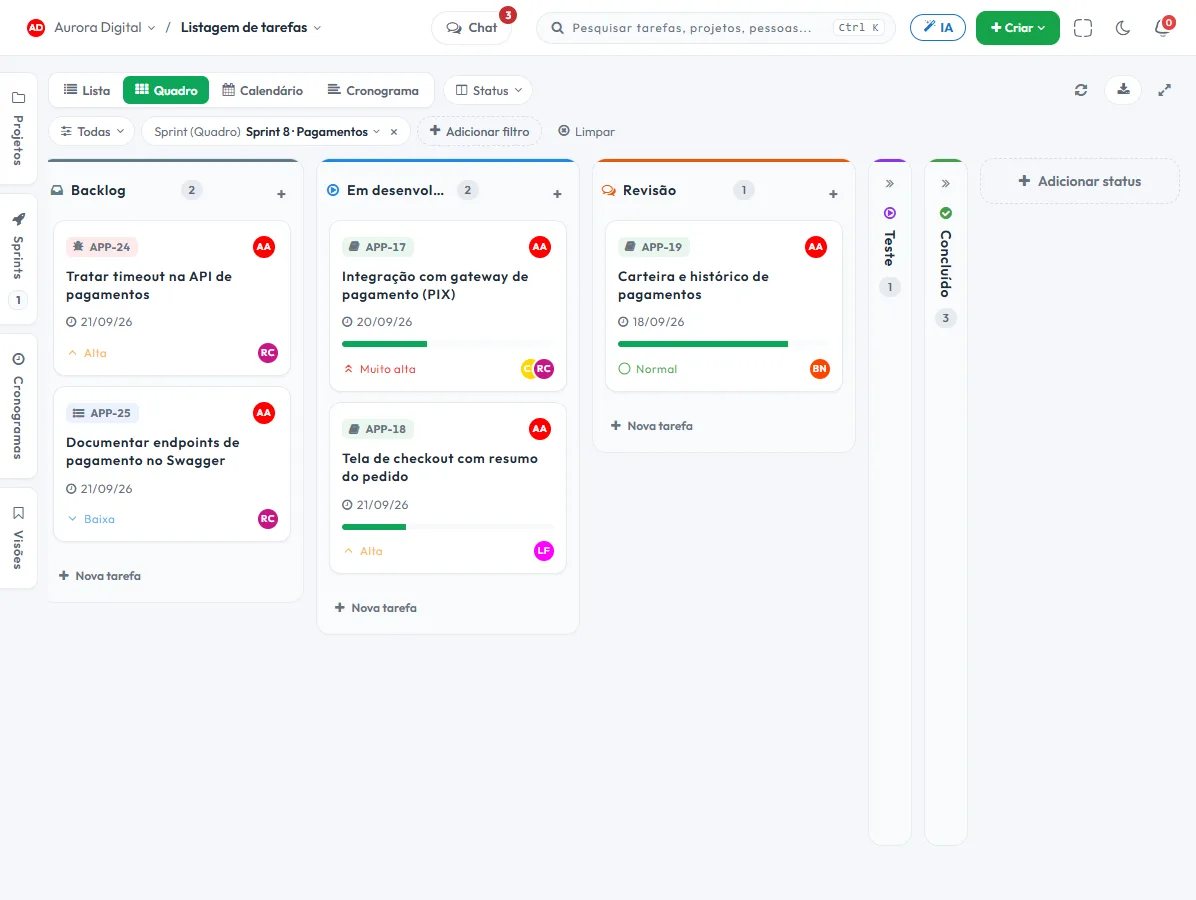
The Software development template in the signup flow comes with the Product and Quality workstreams, a connected sprint and the statuses Backlog, In development, Review, Testing, In approval and Done. You adjust the names and start with one client.
- 1 One project per client or product"Ordering app · Aurora Distributor". Backlog, sprints, tickets and contract documents stay together, and the history follows the client from one cycle to the next.
- 2 Sprint with the backlog in viewPlan the cycle, follow the burndown and see the team's real velocity. Whatever didn't fit goes back to the backlog, with no spreadsheet in the middle.
- 3 Production ticket, outside the feature backlogThe client's request comes in through a public form or through customer service, in its own queue with a due date. You can decide whether the bug goes into the sprint or waits for the next one.
- 4 Review and testing as real stagesThe task goes through Review and Testing before Done, and the "In approval" status holds the delivery until the assignee decides.
What nobody else puts together in a single tool
Three things that usually live in different tools: the hours you bill, the spec you follow and the reply to the client.
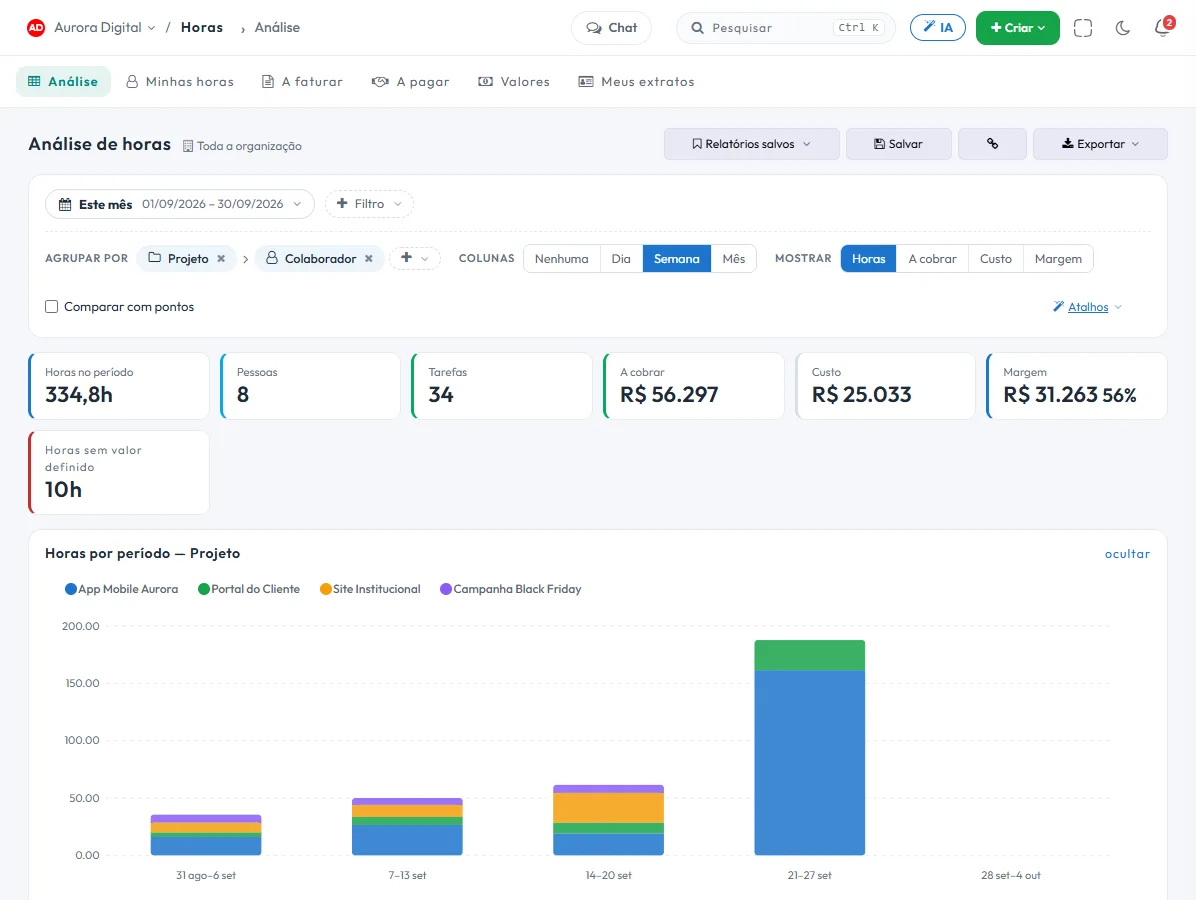
Billable hours with a rate per project
Each project and type of work has its own hourly rate. The statement goes to the client as a PDF or CSV, with the invoice number recorded (Tasskee doesn't issue invoices), and the margin shows up at the end. People paid by the hour get their own statement.
Specs maintained by the AI agent, via MCP
Your team's agent, with the provider key you bring yourself, reads and updates the project spec through the MCP server. The manager follows the state and progress, and tasks are created from the acceptance criteria.
A portal for the client to follow along and approve
The client joins as a guest, sees what you release, comments and approves the delivery. They don't take up a user seat, so the bill doesn't grow with every new sponsor.
The features that support this day to day
Task, schedule, ticket, form, and conversation are the same database. What changes in one place shows up in the other, with nothing to export.
Questions from people who ship software
Does it replace Jira?
How do specs work with the AI agent?
Can I bill the client by the hour and by project?
What about the client's ticket once the system is in production?
Does it work with continuous integration, repositories and deploys?
Start with the client who asks for reports the most
Create your account, open a project with its backlog and log time on the next sprint. In one afternoon you'll see whether the month-end statement can start producing itself.