

Ask in plain language, and Tasskee does it.
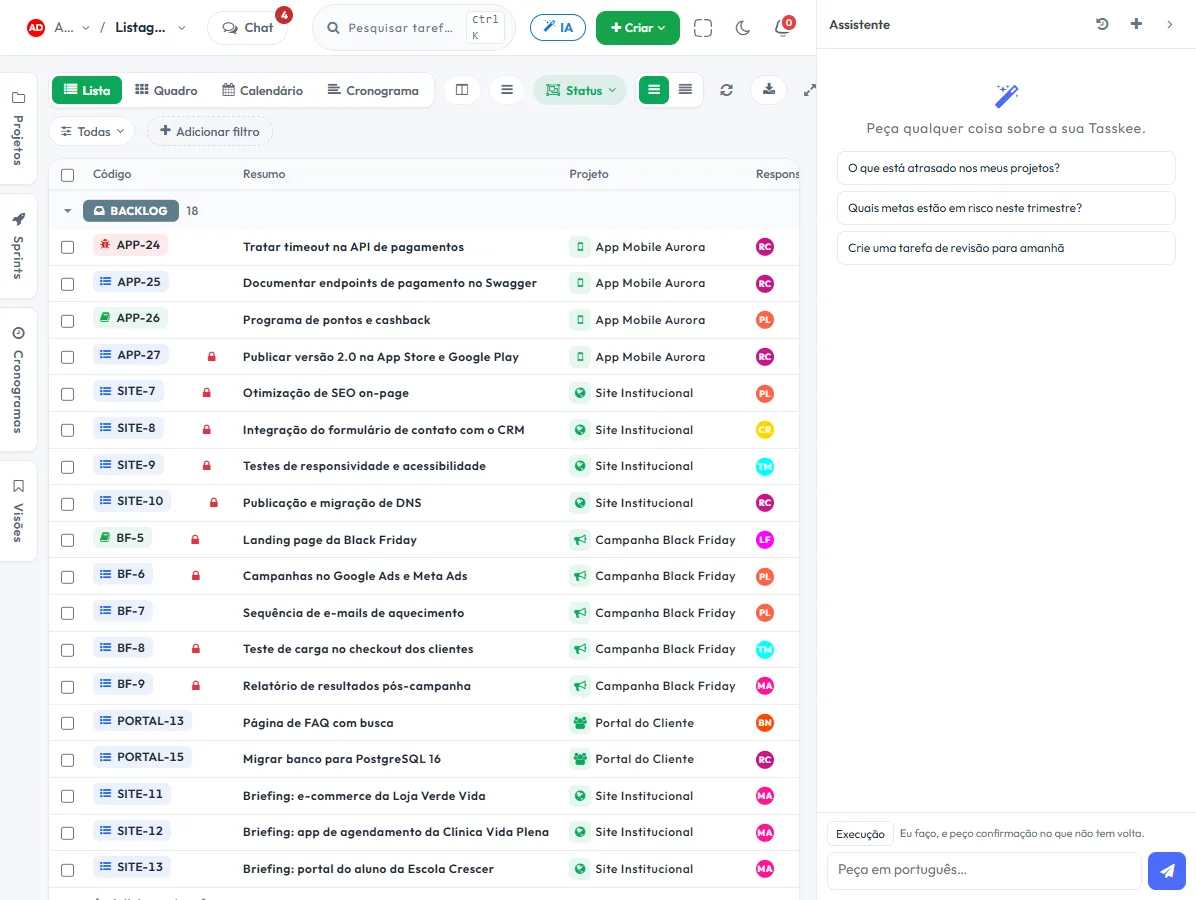
The assistant reads your projects, goals and tickets. It answers what is overdue, creates tasks, reschedules deadlines and summarizes what happened — and asks for confirmation before anything that can't be undone.
AI that works with the handbrake on
The difference between a useful assistant and a risk is the boundary. Here the AI respects the permissions of whoever asked and leaves a trail of everything it does.
Ask the way you talk
"What is overdue across my projects?", "Which goals are at risk?", "Summarize this week's tickets."
It executes, not just suggests
Creates and changes tasks, reschedules deadlines and organizes the board from a single sentence, with confirmation for anything irreversible.
It respects permissions
The AI sees what the person sees. Anyone who can't see the project doesn't get answers about it.
Audit of every action
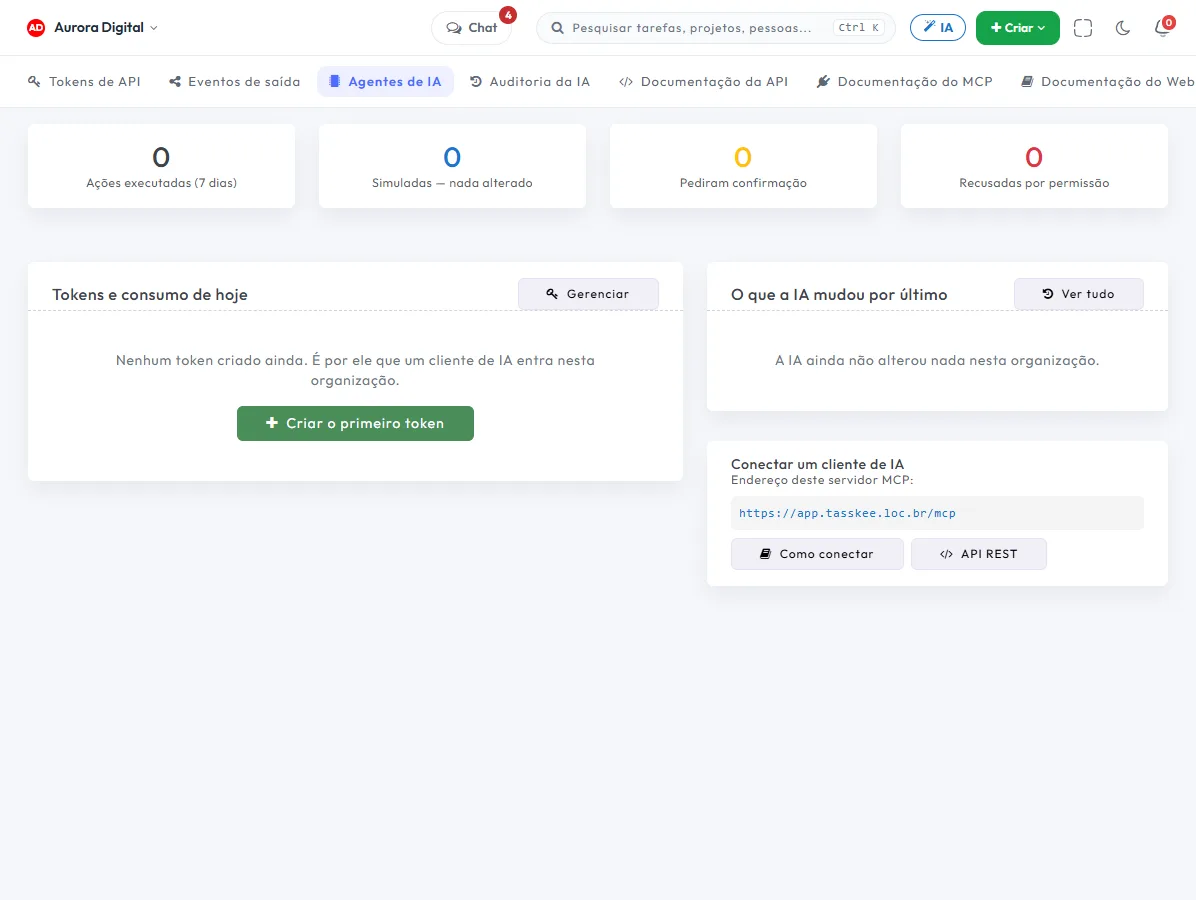
Actions that were executed, simulated, asked for confirmation or were refused for lack of permission are logged, with author and time.
Connect your favorite AI client to Tasskee
Besides the built-in assistant, Tasskee is an MCP server: your favorite AI agent reads and changes whatever you authorize, with the same permissions as the user.
- The agent reads projects, tasks, goals and tickets under the same access rules
- It maintains the project's specs: sections, acceptance criteria, status and progress
- Token with an expiry and scope, revocable whenever you want
- REST API and webhooks to connect Tasskee to your ERP, CRM or website
- Nothing gets out of your control: you choose the AI provider and the key
This lives alongside the rest of the operation
Task, schedule, ticket, goal, and conversation are the same database. What changes in one place shows up in the other, with nothing to export.
How to use the AI assistant in practice without losing control
The question buyers ask isn't "is the AI any good?" but "what happens if it gets it wrong?". In Tasskee the answer is built into the design: the AI uses your key, respects your permissions, asks for confirmation on anything that can't be undone, and logs everything in the audit trail.
Step by step to get started
- Connect your provider's key. Tasskee works with OpenAI, Gemini or Claude on a BYOK model: you bring your own key and pay for usage directly to the provider. There are no credit packs and no markup from us. Details in BYOK: AI without credits.
- Start by just asking questions. "What's overdue in my projects?" and "Which goals are at risk?" don't change anything. It's the safest way to see how the AI reads your data.
- Choose the working mode. There are three: planning, execution and automatic. In planning, it only proposes what it would do. In execution, it acts after you confirm. In automatic, it runs directly whatever is within your permissions. Start with planning.
- Ask for one small action. "Create three tasks for the contract review, due Friday" shows how it writes, assigns and organizes.
- Check the audit trail. Actions that were executed, simulated, that asked for confirmation, or that were refused for lack of permission are all logged, with author and time.
The three modes and when to use each
| Mode | What happens | Good for |
|---|---|---|
| Planning | The AI describes what it would do, without changing anything | The first week, big changes, healthy distrust |
| Execution | It does what you confirm | The manager's routine: creating, reassigning, reorganizing the board |
| Automatic | It acts within your permissions, with a log | Repetitive, low-risk tasks, once the team trusts it |
In any mode, the AI sees only what the person asking can see. Someone without access to a project gets no answers about it.
Examples by type of company
Software house in Florianópolis
On Monday morning, the tech lead asks which sprint tasks have no assignee and which are past due. They ask the AI to propose a redistribution, review it in execution mode and confirm. For people who code with an agent, the spec integration via MCP takes this further.
Accounting firm in Campinas
The partner asks for a summary of the comments in a long discussion about a client's company registration. The AI returns the open points, and she turns each one into a task. Supporting text, like the document checklist, can start life as a document.
Building maintenance company in Porto Alegre
The supervisor asks which tickets from last week took longer than expected. The AI reads the queue and lists them. He decides what to prioritize, and whatever the AI changed is in the audit trail.
The MCP server: the other way in
Besides the built-in assistant, Tasskee is an MCP server. Your favorite AI agent connects with a token and reads or changes whatever you authorize, with the same permissions as the user. The token has an expiry and a scope, and you can revoke it whenever you want. The difference from a hand-built integration is that there's no glue code to maintain. For the project use case, read MCP: the AI that works on the project.
Best practices
- Write the request like a task: what, for whom, by when. A vague request gets a vague result.
- Use a lightweight model for the trivial stuff. Since you choose the model and pay the provider's rates, summarizing a comment doesn't need the most expensive model. The spend shows up in the provider's own dashboard.
- Read the audit trail in the first week. It's how you calibrate how much to trust it.
- Leave the judgment to people. The AI proposes due dates and priorities; whoever knows the client decides.
Common mistakes
- Starting in automatic mode, before you've seen the AI make a mistake in a safe environment.
- Expecting it to guess business priorities without context. It reads Tasskee, not your mind.
- Treating the AI as a replacement for the manager. It takes away the grunt work of organizing and summarizing, not the decision.
Want to go deeper on using models for planning? See ChatGPT and Claude for project planning. The assistant and MCP are part of the Pro plan, unlocked for 15 days during the trial, no card required. For AI acting on its own in response to events, look at automations, which have AI actions on Pro.
Questions about Tasskee AI
How much does the AI cost?
Can the AI delete something without me seeing it?
What is the MCP server?
Will my data be used to train someone's model?
Try an AI that knows your operation
On the 15-day trial the assistant comes unlocked. Connect your key and ask whatever you want about your projects.