

Tickets with SLA, onboarding projects and customer service for IT companies.
The client's request arrives on WhatsApp, becomes a ticket with a deadline on the right contract, and the new client's onboarding runs as a project alongside. At month-end, the SLA report is already done.
The day-to-day you recognize
Outsourced IT support is a response-time contract. Without a record, the contract only exists on paper.
The client messages the technician's WhatsApp
The conversation stays on the phone of whoever handled it. When they go on vacation or leave the company, the client's history goes with them.
Every contract has a different SLA
Client A gets a reply within 1 hour, B within 4, C only during business hours. Without the deadline on the ticket, urgency becomes a guess.
Onboarding competes with support
The technician who should be migrating the new client's server is putting out fires on the old one. Nobody sees the conflict until the deadline blows.
Yesterday's fix isn't written down anywhere
The same problem comes back at the next client and each technician solves it from scratch, because the procedure lives in the head of whoever dealt with it before.
A ticket queue for the contract, a project for onboarding
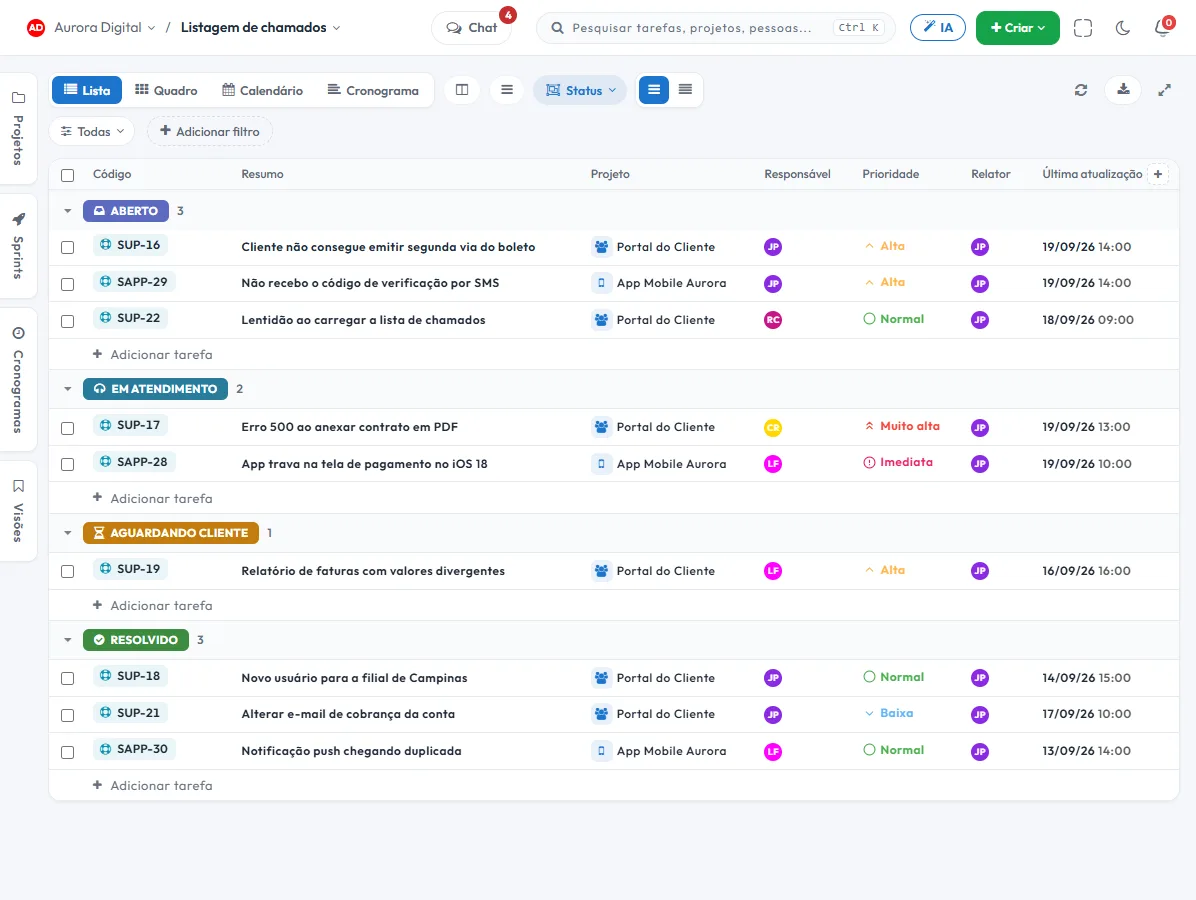
The Support / Operations template in the signup flow comes with the Customer service and Processes and knowledge workstreams, and the statuses To do, In service, Follow-up, In approval and Resolved. Tickets get their own queue, and every new client gets an onboarding project.
- 1 Ticket with a deadline, on the right contractThe queue has its own statuses, priority, assignee and response and resolution deadlines. Whatever is close to breaching moves up the list, instead of being discovered by the client.
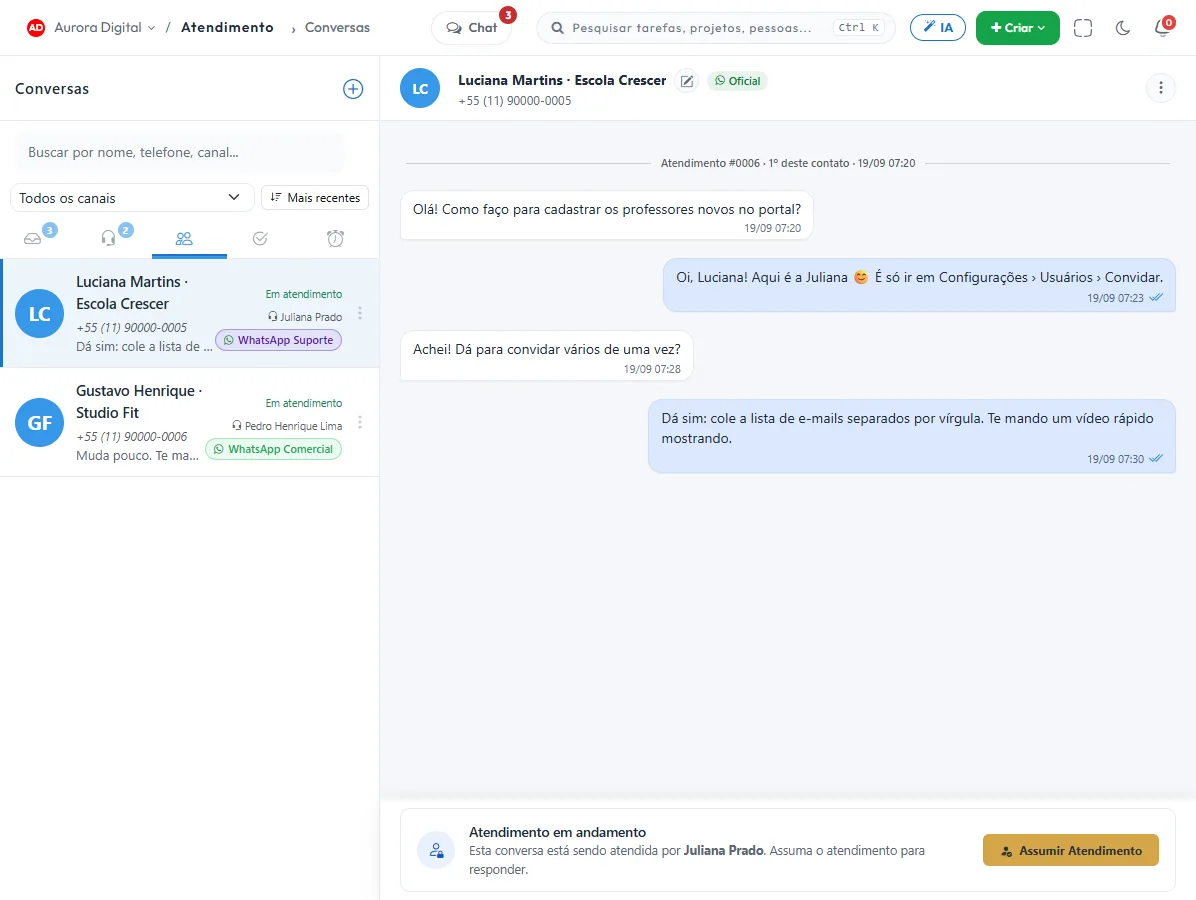
- 2 Support by channel, in a single inboxOfficial WhatsApp, WhatsApp via QR Code and email all arrive in the same inbox. The conversation becomes a ticket or task, with the client's history alongside.
- 3 An onboarding project for each new clientDiscovery, migration, cutover and follow-up become tasks with dependencies and dates. The client sees the schedule through the portal without becoming a user.
- 4 Procedures in documents, linked to the taskThe knowledge base lives in documents with versions, and the right procedure is attached to the ticket that needs it. You can publish one through a public link.
What nobody else puts together in a single tool
Help desk, projects and knowledge usually mean three software contracts. Here it's the same customer records and the same account.
AI agent on WhatsApp, with your own key
The agent answers what the knowledge base covers and hands the rest to the team. The AI uses your own provider key, with no credits or markup from Tasskee, and you decide when it responds.
SLA and satisfaction measured, not promised
Every ticket carries its deadline and the satisfaction survey (CSAT) closes out the interaction. The SLA report shows what was met by client and by period, and it's what you take to the renewal.
A ticket that becomes a project, and a project that becomes a ticket
A request that turns out to be an onboarding becomes a project task with a schedule. Post-onboarding maintenance goes back to the queue, under the same client.
The features that support this day to day
Task, schedule, ticket, form, and conversation are the same database. What changes in one place shows up in the other, with nothing to export.
Questions from people who provide IT support
Can I have a different SLA per contract?
Does Tasskee do asset inventory or network monitoring?
How does a ticket start from WhatsApp?
Does the AI answer clients on its own?
Does it work for an internal IT department, and not just for those who sell support?
Start with the contract that demands the most responsiveness
Create your account, open a client's ticket queue and bring in their conversations. In one afternoon you'll see the SLA that until now only existed in the contract.