

From the first "hi" to the resolved ticket.
In one system.
WhatsApp, email, and forms land in a shared inbox. AI handles triage, SLA watches the deadline, and anything that needs another department becomes a ticket or team task, without copying and pasting between tools.
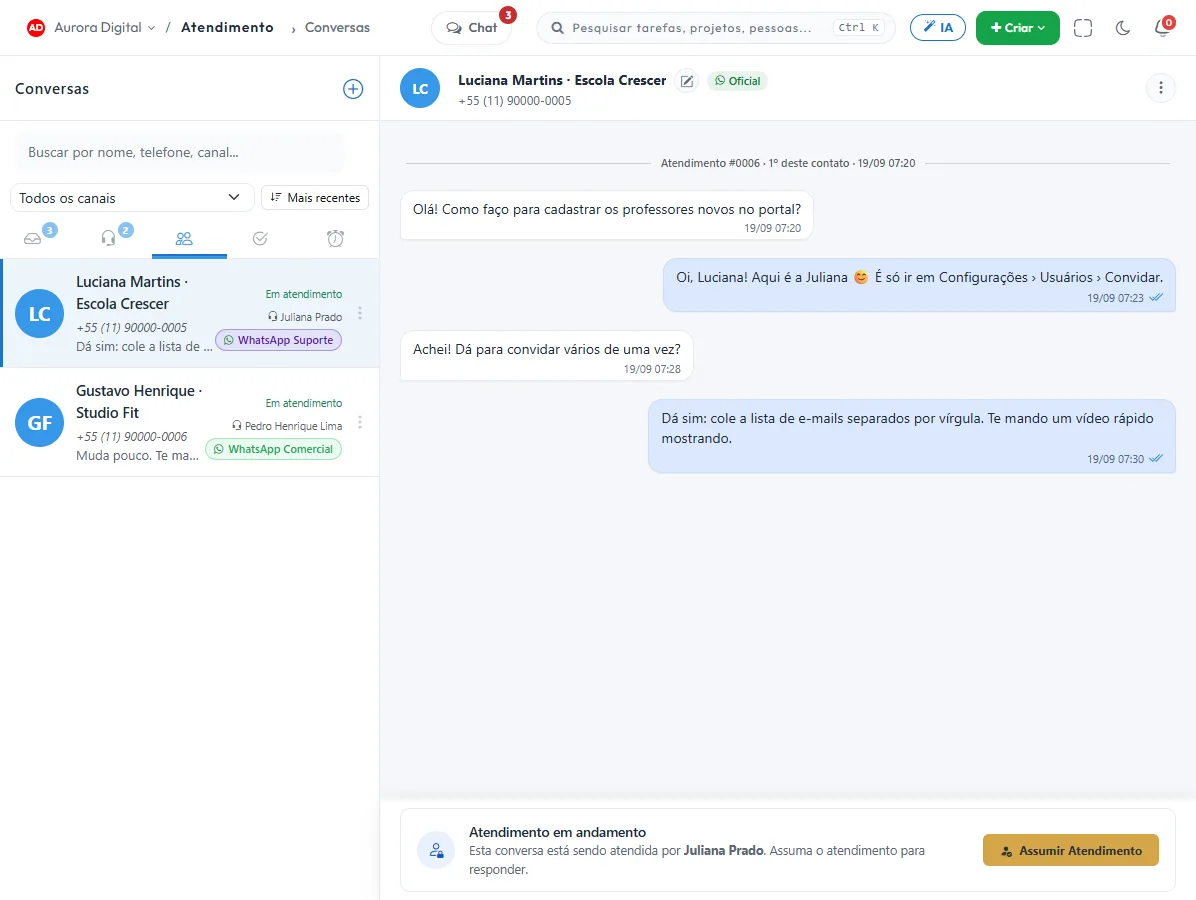
Whichever way the client reaches out, it lands in the same queue
One inbox, one ticket queue, one history per client.
The whole support cycle, without switching screens
Real Tasskee screens. From the conversation to the monthly report, it's the same system and the same client.
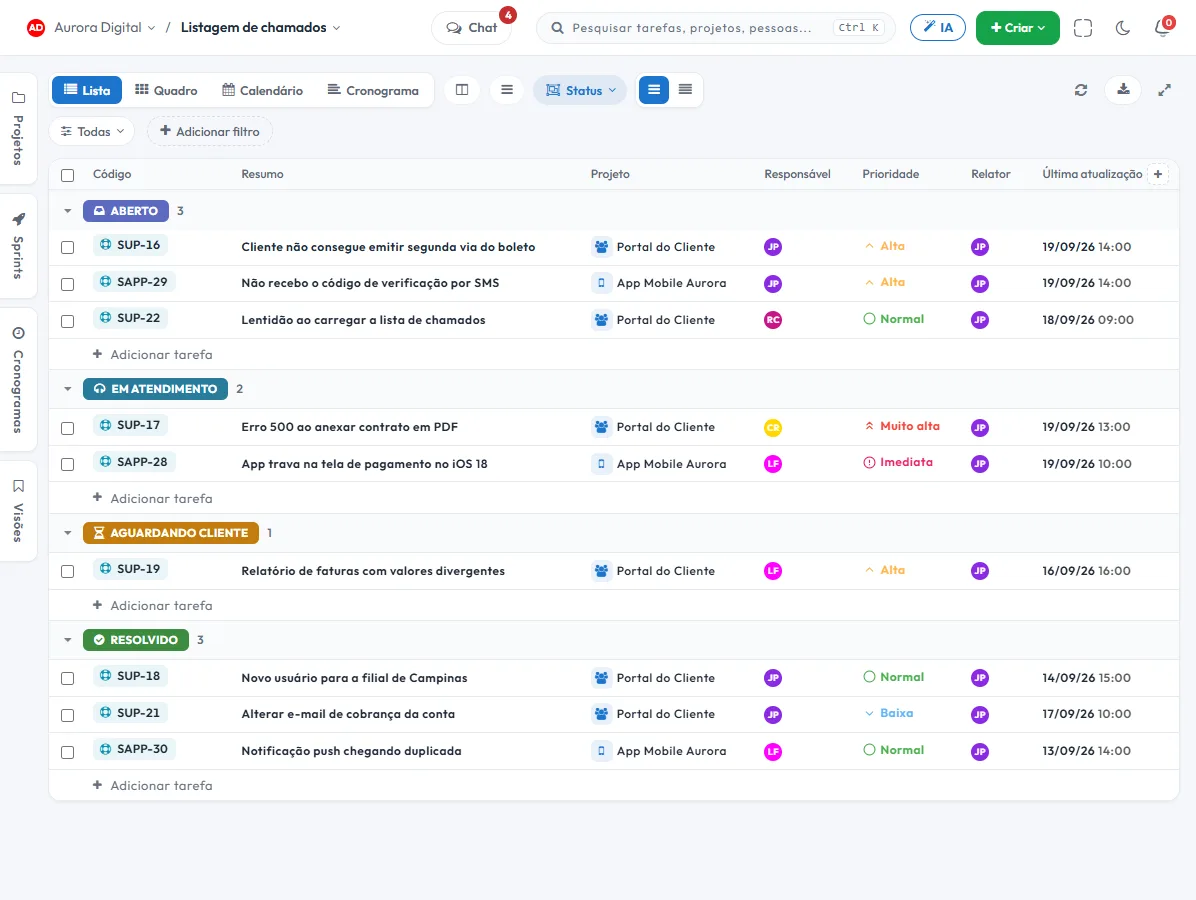
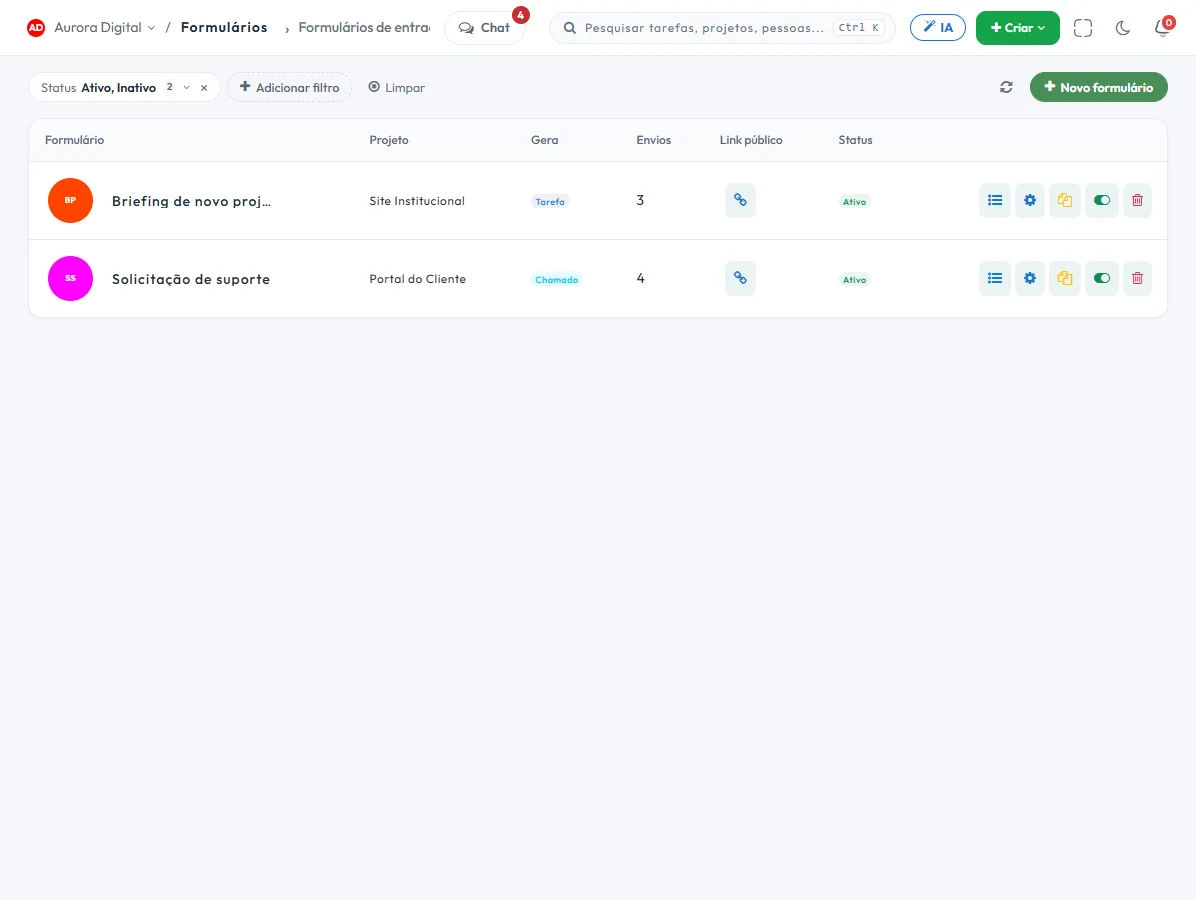
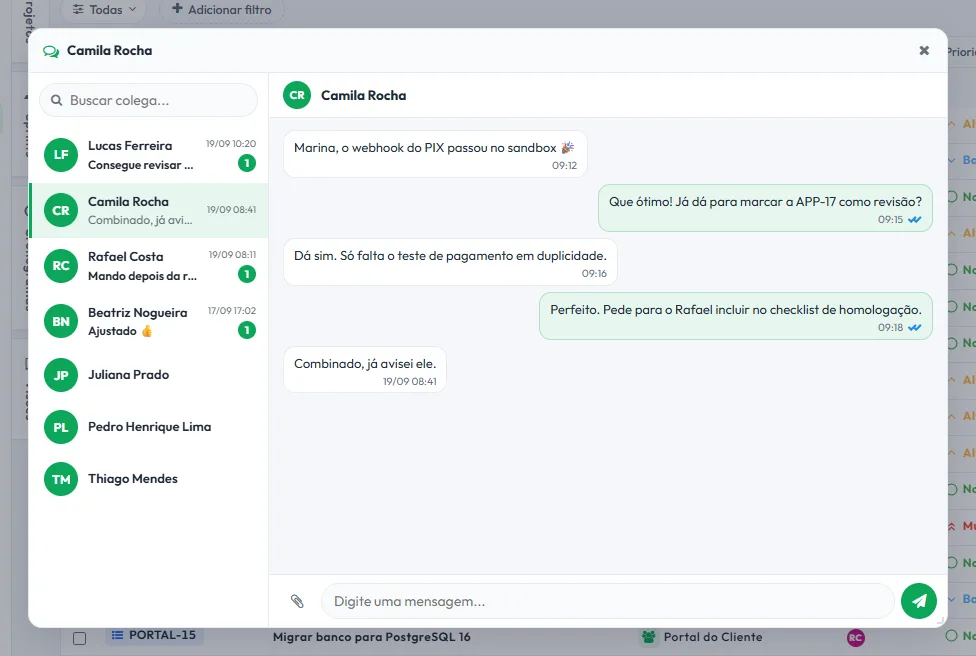
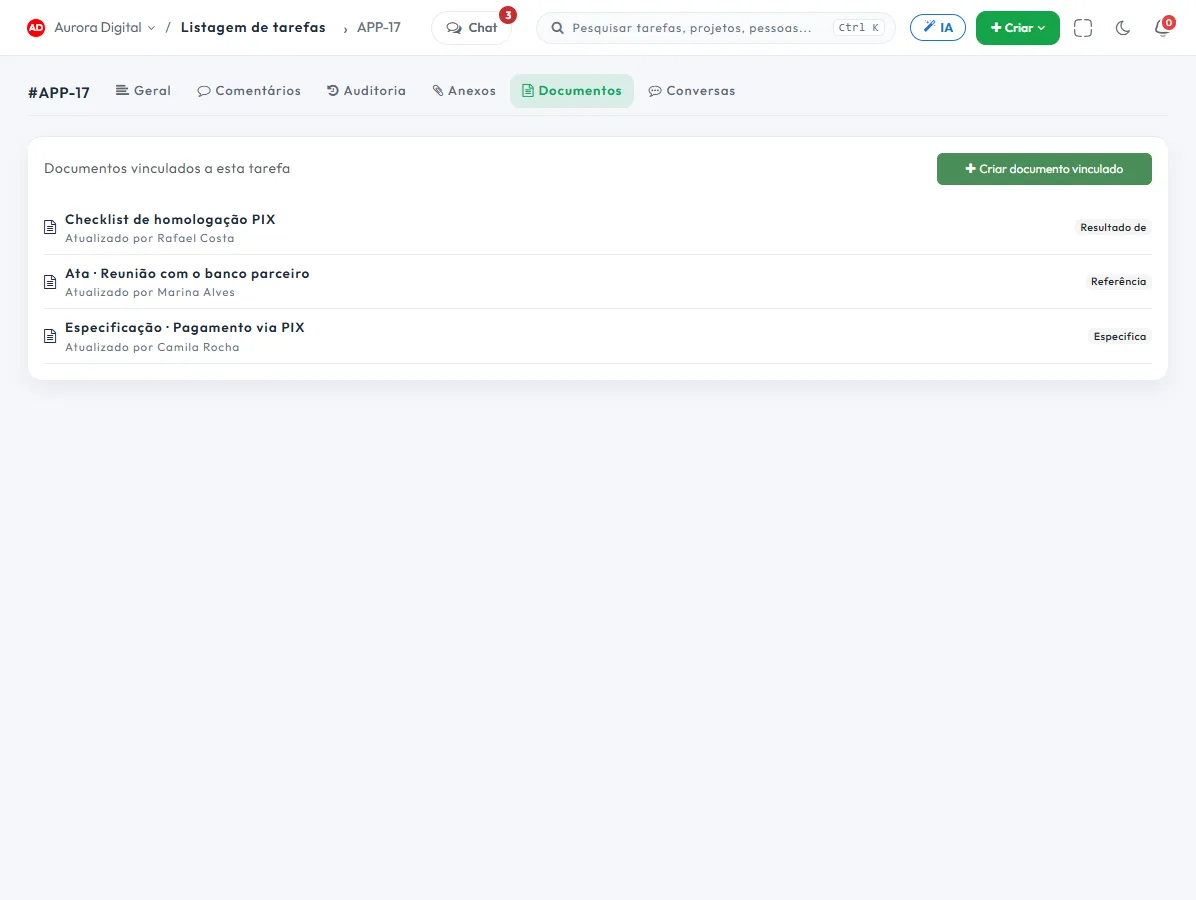
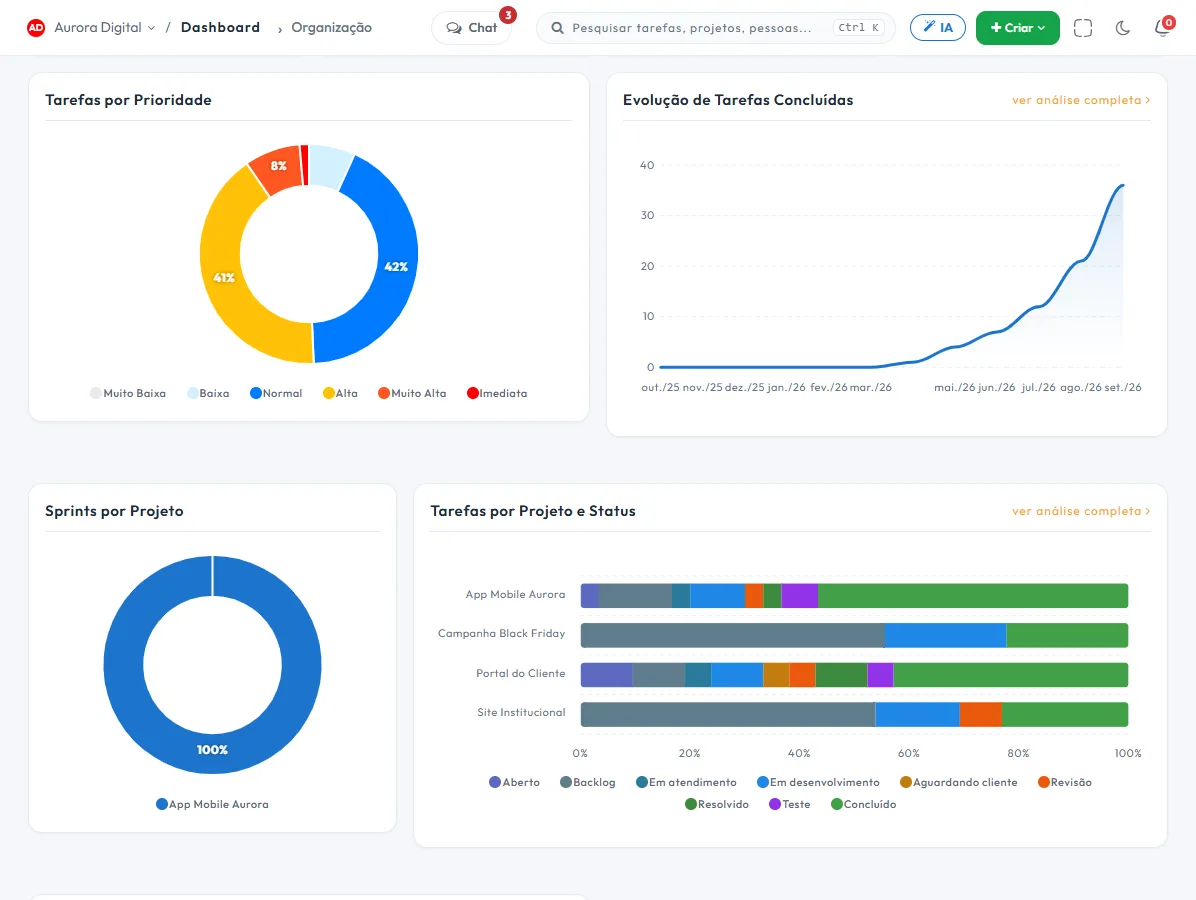
No client forgotten at the end of the queue.
Set the deadline and let Tasskee keep watch. Each conversation shows how much time is left, and whatever is about to expire moves to the top before it turns into a complaint.
- Three deadlines, per channelFirst response, follow-up response, and resolution. One default policy and another for the VIP channel, if you want.
- Warning before and alert on breachThe badge turns amber when the deadline is close. If it passes, the bell rings for the team's supervisors.
- Fair to the agentWhile waiting on the client, the resolution clock stops. Only a human reply counts as a response.
- Deadline reportHow much was met, by channel, team, and agent.
Find out what the customer thought, and why they reached out
Satisfaction at the end of every conversation and a standardized record of each one. That's where the report that shows where the product hurts comes from.
Customer satisfaction survey (CSAT)
It goes out on its own when the conversation ends, through the same channel: buttons on WhatsApp, a link in email. A low score asks for a comment, and anyone who doesn't want to receive it anymore can opt out with one word.
Record of every conversation
A form the agent fills out during the conversation, with branching: the reason opens the right questions. It can be required to close, and it becomes an indicator.
The request arrives complete. No more "can you send a screenshot?"
For anything with a pattern, a form works better than a conversation: it asks for exactly what the team needs and creates the ticket in the right project right away.
- Public link or inside your siteWith your logo and your colors, and bot verification.
- Questions that change depending on the answerConditional logic, attachments and even a signature.
- Reference number right awayWhoever submitted gets the ticket number by email.
Late at night, holidays, Monday rush. The AI picks up.
It replies with what you taught it, collects what's missing and hands off to a person when needed. No waiting for the client during business hours.
AI agent with no credit packs.
Customer service platforms usually charge for AI by credit or by resolved conversation. Here, the agent uses your provider's key, and the official WhatsApp conversation is billed by Meta to your account. No middleman in the cost.
The most common model in other tools.
- A markup built into the price of every AI reply.
- Monthly package paid in advance, with credit that expires if unused.
- The balance runs out mid-month and the AI stops until you buy more.
- You don't choose the model or see what each use really cost.
You connect your OpenAI, Gemini, or Claude key.
- The provider's list price. Usage is paid directly to them, with no markup from us.
- Pay only for what you use. No credit packs and no balance that expires.
- A model per agent. A light, cheap model for triage, a stronger one for technical support.
- Costs under your control. Spending limit and usage report in the provider's own dashboard.
With lightweight models, everyday tasks like summarizing comments or suggesting subtasks usually cost fractions of a cent. The key is stored encrypted.
An ordinary help desk stops at the ticket. Tasskee goes all the way to the fix.
Half of all tickets depend on another department. Here, dev, finance and support work in the same system, and the client gets the answer when the task closes.
With a separate help desk
- The bug gets copied into the dev's tool
- Support asks "any update?" in the team group chat
- Nobody knows when the fix will ship
- The customer finds out on their own that it was resolved
- The ticket becomes a task in the dev's sprint
- The conversation with the client comes along, in the Conversations tab
- The due date shows up on the schedule and the calendar
- Support replies on the same WhatsApp when it closes
And the team still gets Kanban, schedule, sprints, goals and documents, in the same Pro plan.
Build your hub and see the price instantly
Pro plan for the team, with tickets and forms included, plus Customer Service billed per channel and per agent.
Customer Service plan
Your service hub, per month
Try Customer Service for 14 days before you buy, with everything in Completo, up to 2 channels and 3 agents. Agents need to be team users. Official Meta conversations and AI tokens are paid directly to the provider.
Questions from people who run support
Which channels can I handle?
How does the SLA work?
Is the satisfaction survey sent over WhatsApp?
What is the difference between a ticket and a conversation?
Can I receive tickets through a form?
How much does it cost?
Can I try it first?
Does the AI reply on its own? How much does it cost?
Your support under control, starting this week.
Create your account, connect WhatsApp or email and turn on the Customer Service trial. In minutes your team is already replying through Tasskee.