

Task, ticket and preventive maintenance management for building maintenance.
Preventive maintenance on the calendar, corrective through WhatsApp: the building manager's request becomes a ticket with a deadline, the month's round is already scheduled, and the technician closes the visit with a photo and signature on the phone. The contract meeting stops being about memory.
The day-to-day you recognize
A maintenance contract is lost for lack of records, not for lack of service delivered.
The ticket lives in someone's WhatsApp
Who replied, when, and whether it was resolved — all in one person's chat. When they go on vacation, the contract goes with them.
Preventive becomes corrective
The monthly visit slips, nobody notices, and what was a filter change becomes equipment downtime on a Saturday.
The monthly report is done the night before
Someone spends the afternoon gathering chat screenshots and phone photos to prove the service happened.
An SLA is a contract promise, not a number
It says "response within 4 hours". Nobody can say whether it is being met without opening a spreadsheet that doesn't exist.
Each building becomes a project, with preventive maintenance and tickets together
One project per building, workstreams for preventive, corrective and inspection, and the ticket coming in through wherever the client already talks to you.
- 1 Project per building"Maintenance contract · Atlântico Building". Ticket, preventive maintenance and customer history in the same place, year after year.
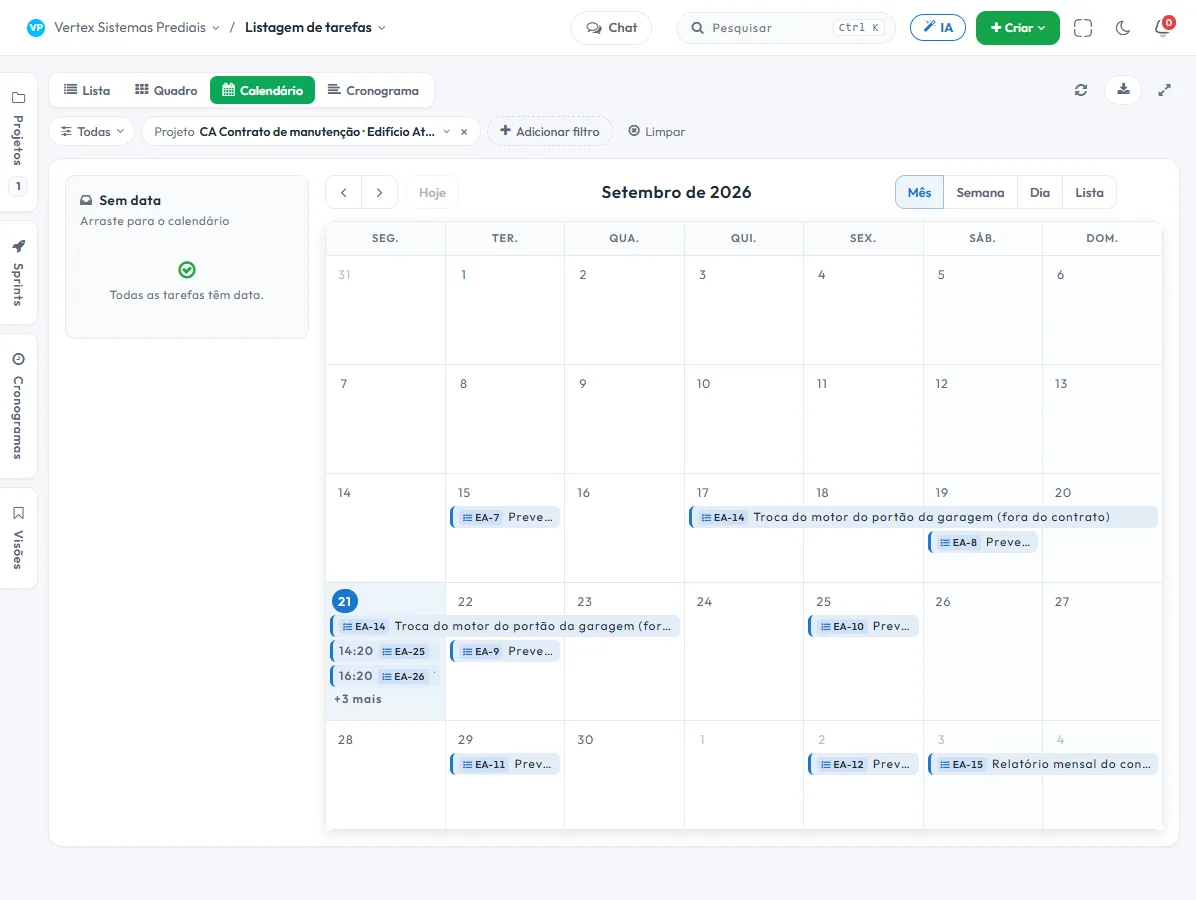
- 2 Preventive maintenance on the calendarThe contract's visits come in as tasks with a date and an assignee. The following month is already filled in, and whatever slipped stays in view.
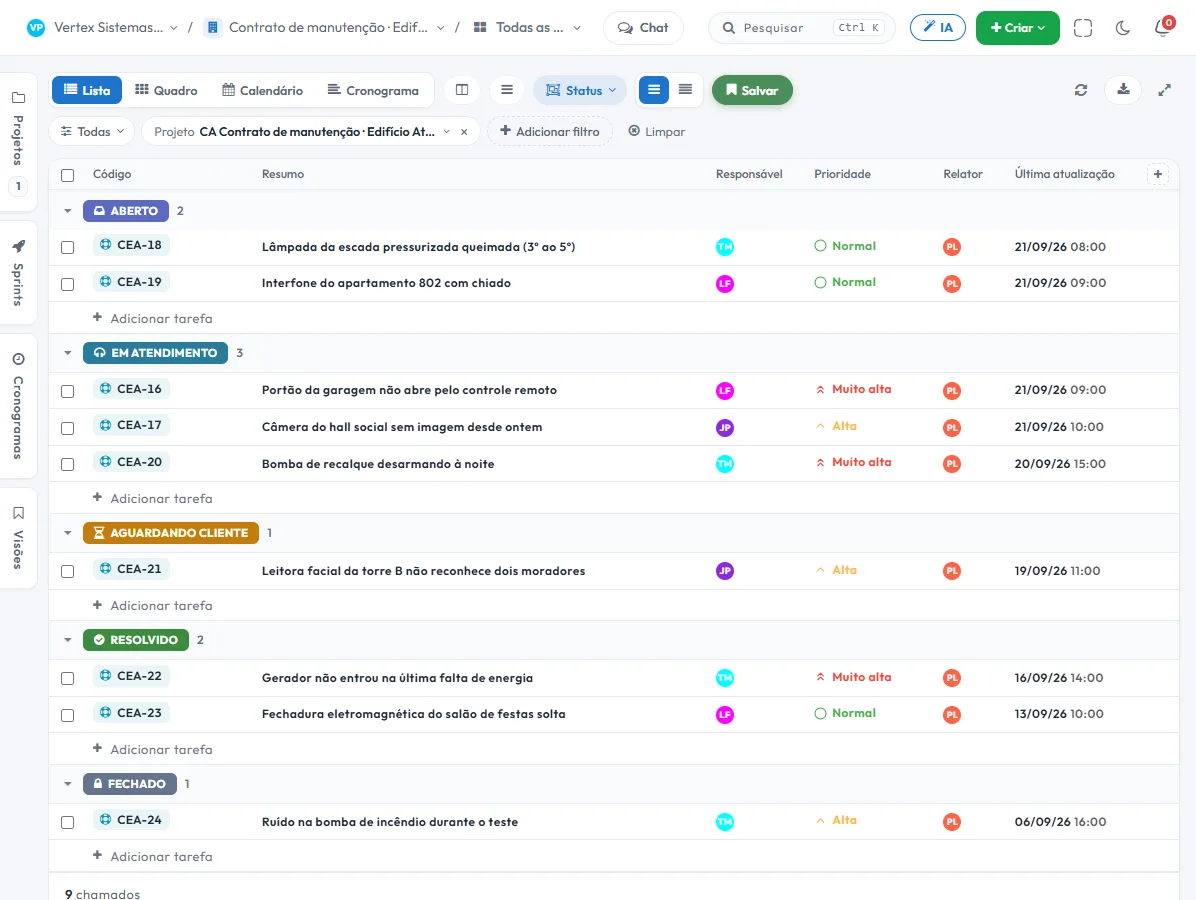
- 3 Corrective maintenance with a deadlineThe ticket arrives through WhatsApp or the form and gets a response and resolution deadline. Whatever is close to breaching rises in the list.
- 4 The work order closes with proofBefore and after photo, signature of whoever received, and the record tied to the ticket — not in a photo folder on the technician's phone.
What nobody else puts together in a single tool
Proof of the service, approval of the extra and the technician's schedule — without three systems and no spreadsheet in the middle.
Work order signed on the phone
The closing form opens in the browser: the technician attaches the photos and whoever received signs on screen. Stored with name, optional ID, date, time, IP and the hash of the answers.
Extra service approval
Whatever goes beyond the contract enters "Pending approval" and waits for the decision of whoever you define — before it becomes work, and before it becomes an argument over the invoice.
"My day" for the technician's route
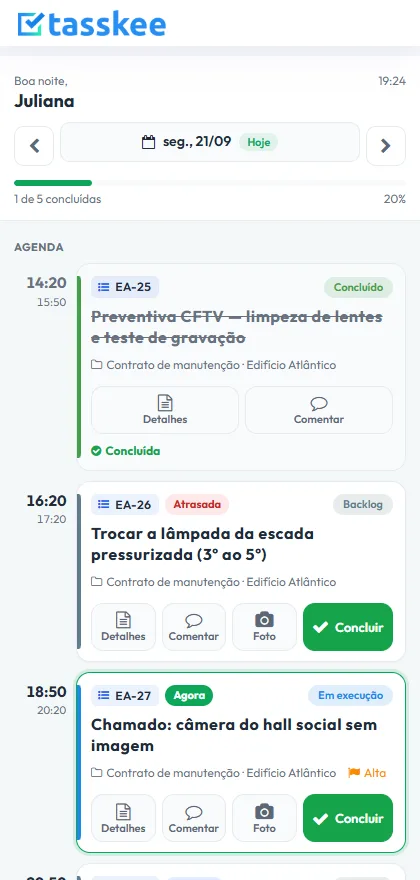
The day's schedule by time, with what is now, what comes next and what is late. Big buttons for photo, comment and completion.
The features that support this day to day
Task, schedule, ticket, form, and conversation are the same database. What changes in one place shows up in the other, with nothing to export.
Questions from people who live on contracts
Does it work for someone with contracts across several buildings?
Can a ticket come in through WhatsApp?
Can I prove the preventive visit happened?
What about the PMOC and the per-equipment plan?
Do I need internet on site?
Start with the contract that complains the most
Create an account, open a project for that building and drop this week's tickets into it. The difference shows up in the first report.