

Project, task and schedule management for network integrators.
Built for technical jobs: each floor becomes a workstream, each certified point becomes evidence with a photo, and the schedule the client sees is the same one the team executes. When someone asks "how is the 2nd floor?", the answer is already there.
The day-to-day you recognize
Infrastructure jobs don't usually fail on the technical side. They fail in coordination between who executes, who releases and who bills.
The client's schedule and yours aren't the same
You sent a PDF last week. Everything has changed since, and the next meeting starts with ten minutes of verbal catch-up.
A certified point only exists in the technician's spreadsheet
The certifier's result stays on the laptop of whoever tested. Putting the as-built together at the end becomes archaeology.
Job stopped waiting on the other party
The infrastructure wasn't released, but that only becomes a problem the day the crew shows up to pull the cable.
Change order with no trail
The client asked for twenty more points by message. Nobody recorded it, and at close the numbers don't add up.
Each job becomes a project, with a workstream per floor
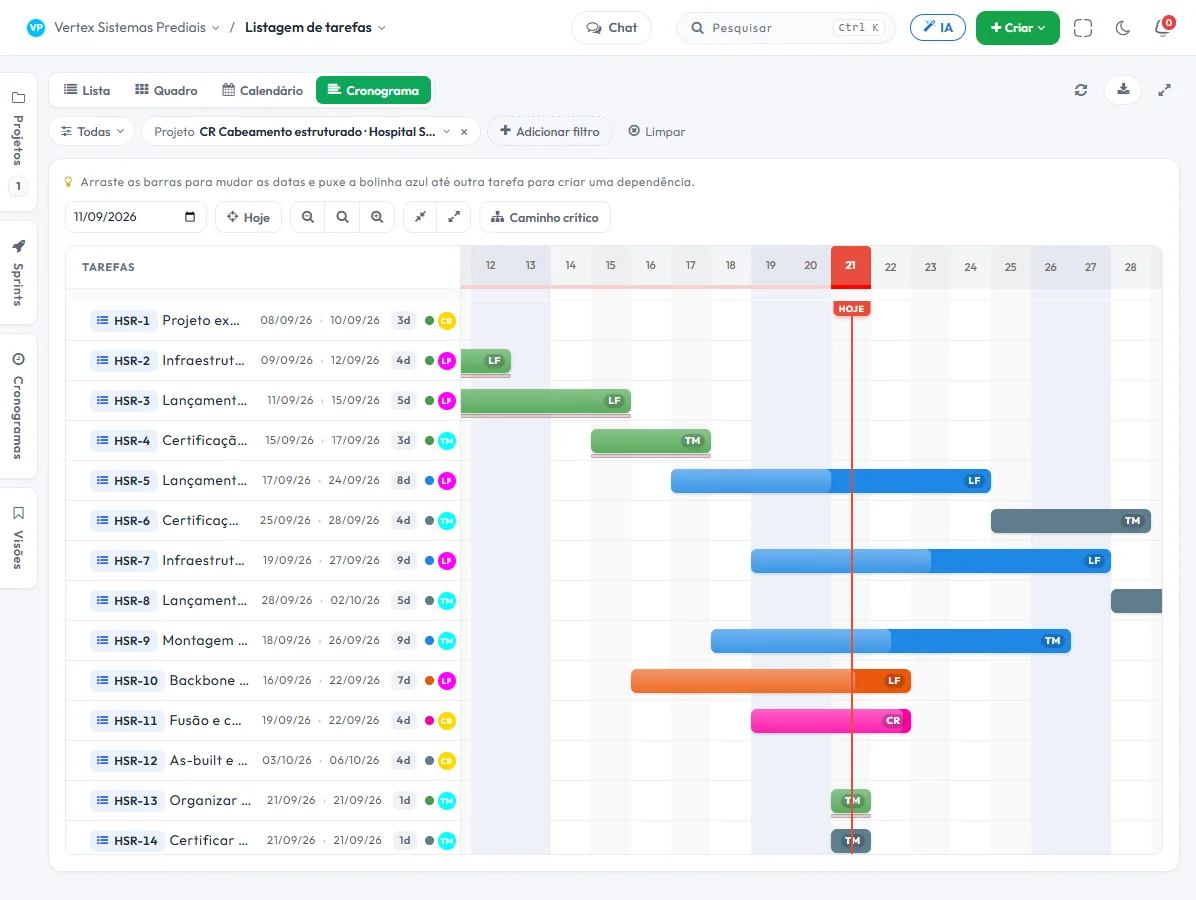
A project per job, a workstream per floor, a task per activity. The schedule comes from the tasks that already exist — it isn't a second plan to keep up by hand.
- 1 Project per job"Structured cabling · São Rafael Hospital". The whole contract in one place, from survey to technical handover.
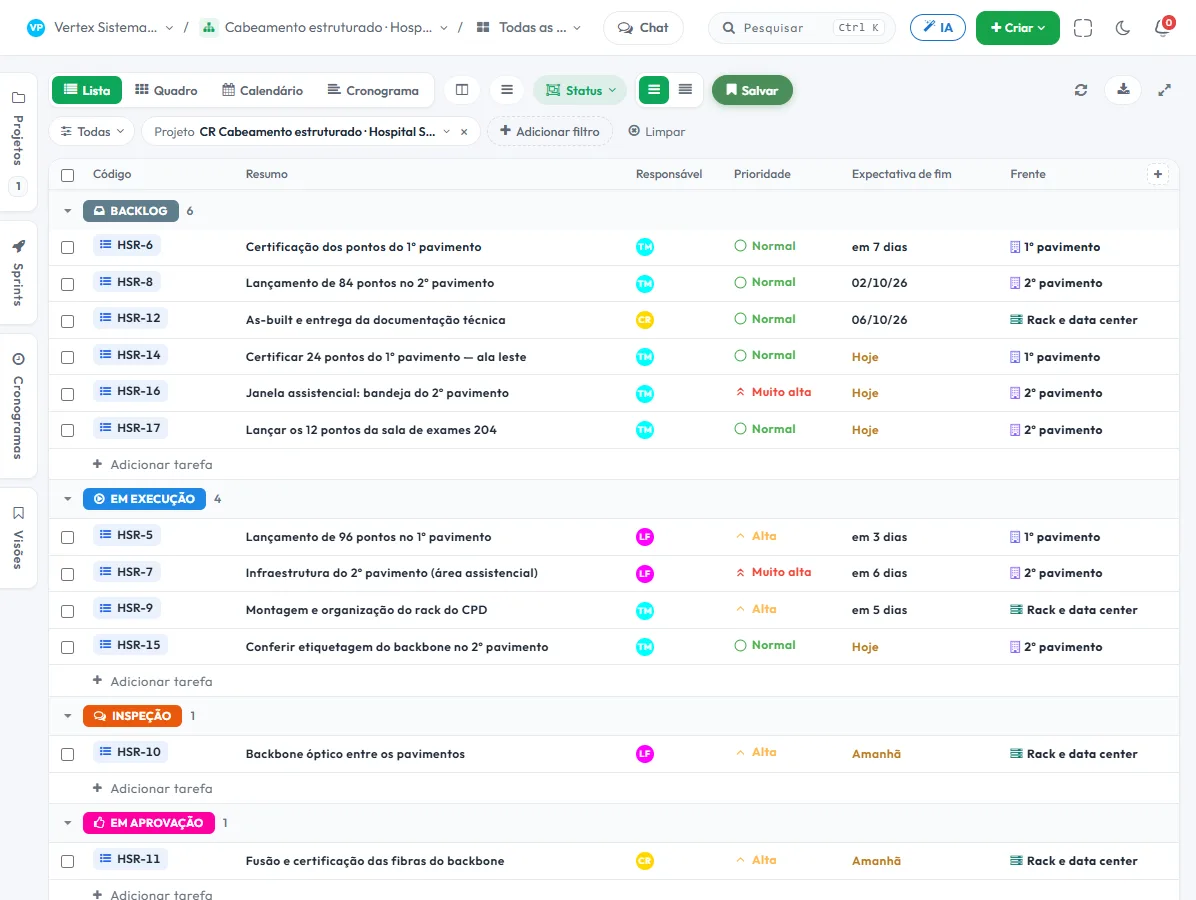
- 2 Workstream per floorGround floor, 1st, 2nd and Rack/Data center. The list shows the workstream in a column and the filter isolates the floor — that is how you see where the job really is, not where it should be.
- 3 Dependency between stagesCable pulling only starts after the infrastructure is released. When the first slips, the final date moves on its own and you see it before you promise anything.
- 4 The client follows along without becoming a userThe guest portal shows the schedule and deliverables of that project, with comments and approval, without taking up a seat.
What nobody else puts together in a single tool
Evidence, sign-off and the field technician's screen — the three things that usually get left out of project software.
Certification with a photo, from the phone
The inspection form opens in the technician's browser: point, test result, photo of the label and signature of the site manager. Each submission is stored with date, time and hash — and that is where the as-built is assembled from.
Technical handover that goes through approval
The stage moves to "Pending approval" and only closes with the decision of whoever you define, one approver or all. It is the sign-off that backs the progress measurement, with a record of who approved.
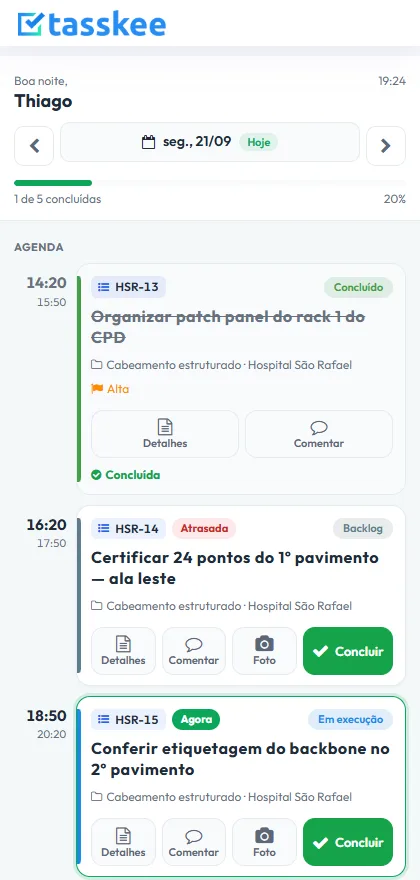
"My day" for whoever is on the job site
The technician opens the phone and sees what is now, what comes next and what is late, with a big button for photo, comment and completion.
The features that support this day to day
Task, schedule, ticket, form, and conversation are the same database. What changes in one place shows up in the other, with nothing to export.
Questions from people who carry out technical jobs
Does it replace construction management software?
Can I run several jobs at the same time?
What about the as-built?
Does it work for GPON and fiber?
Do I need internet at the job site?
Set up the next job before you sell the next one
Create an account, open the project for a job in progress and add the workstreams. It takes an afternoon, and the schedule that appears is the real one.